Automic Vault:让 AI 智能体用你的凭据前,先过一道闸Automic Vault: a gate between AI agents and your credentials
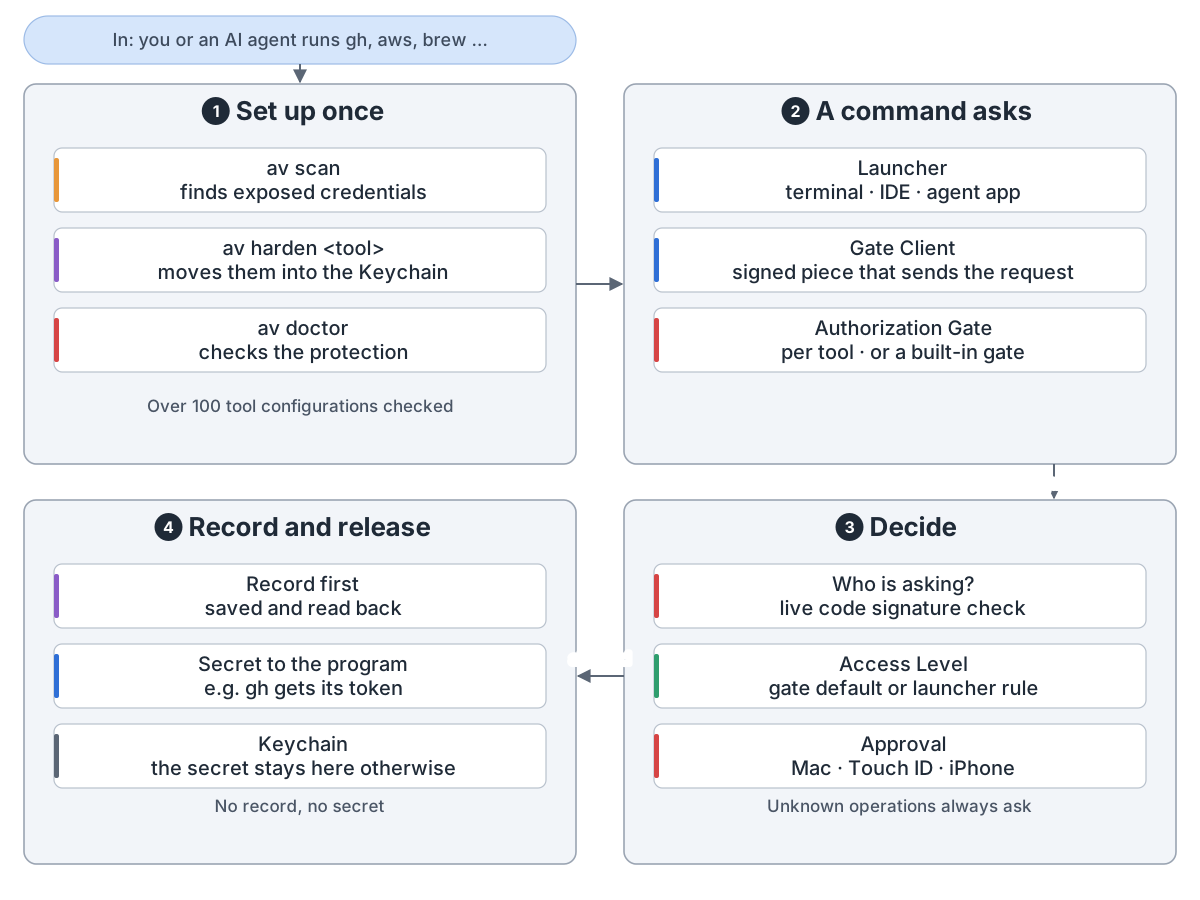
Automic Vault 在 Mac 上保管开发者的凭据。它把令牌从文件挪进钥匙串。之后,你或 AI 智能体要用凭据的命令,都先过一道检查。
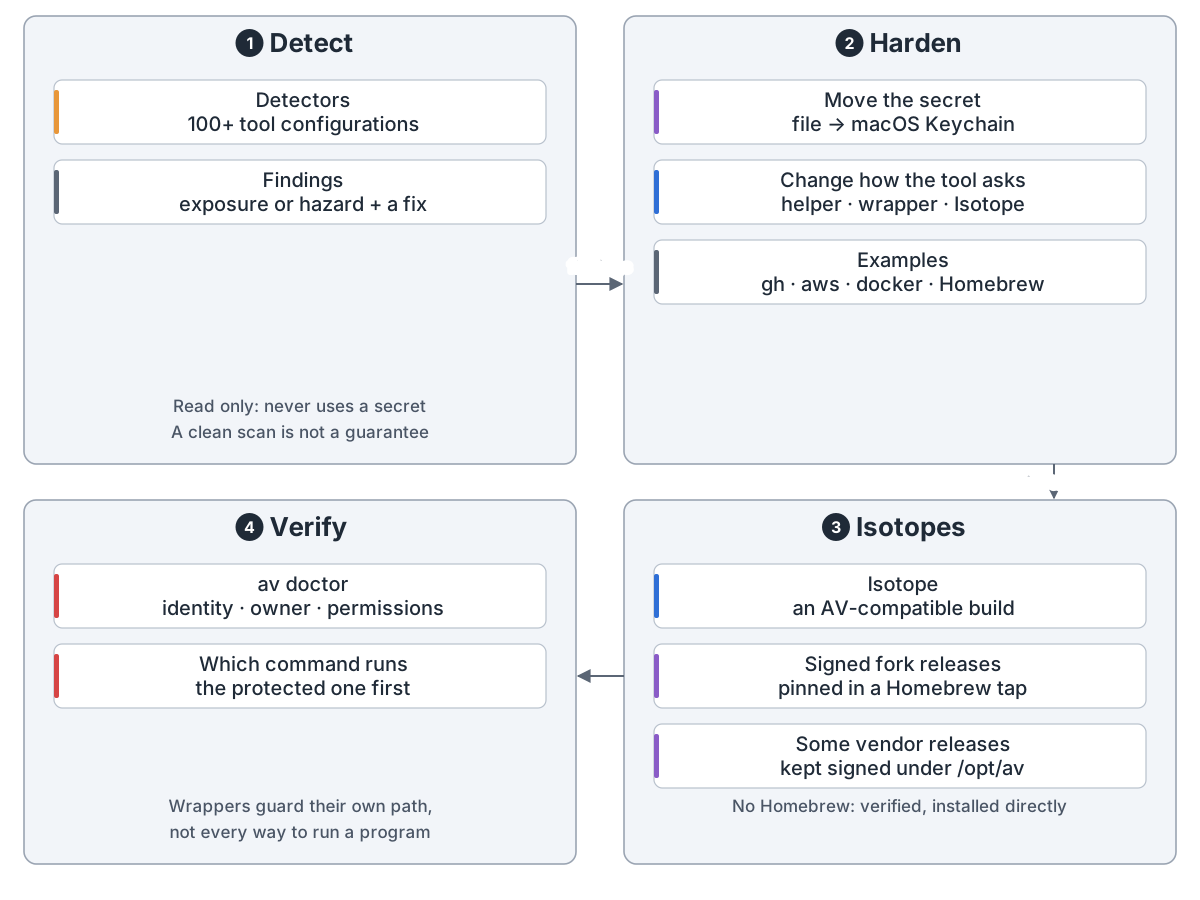
设置。 av scan 找出暴露的凭据。av harden 把它们挪走,并改掉工具取凭据的方式。av doctor 检查结果。
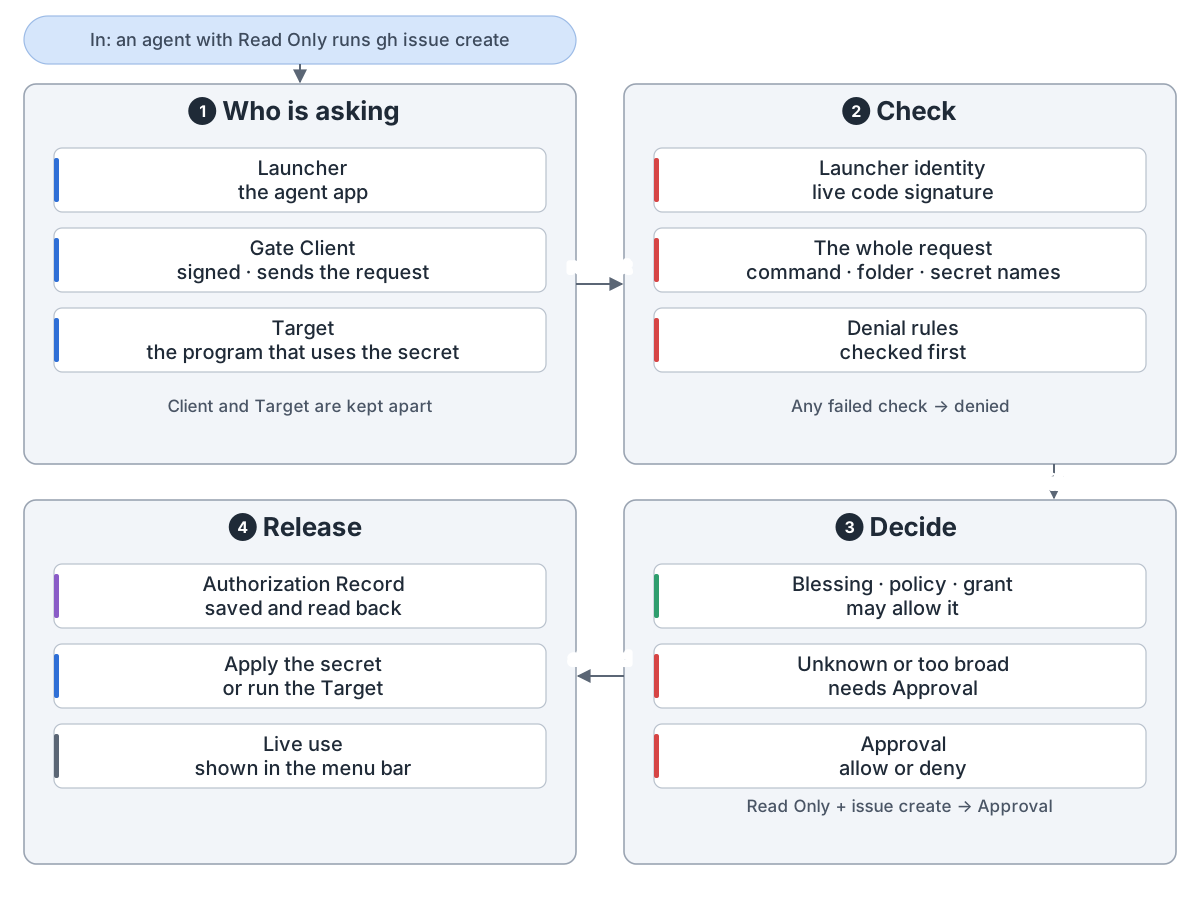
一次请求。 Mac 先查谁在要、整条命令是什么。规则可以直接放行,否则由你批准或拒绝。先存好记录,密钥才放出去。
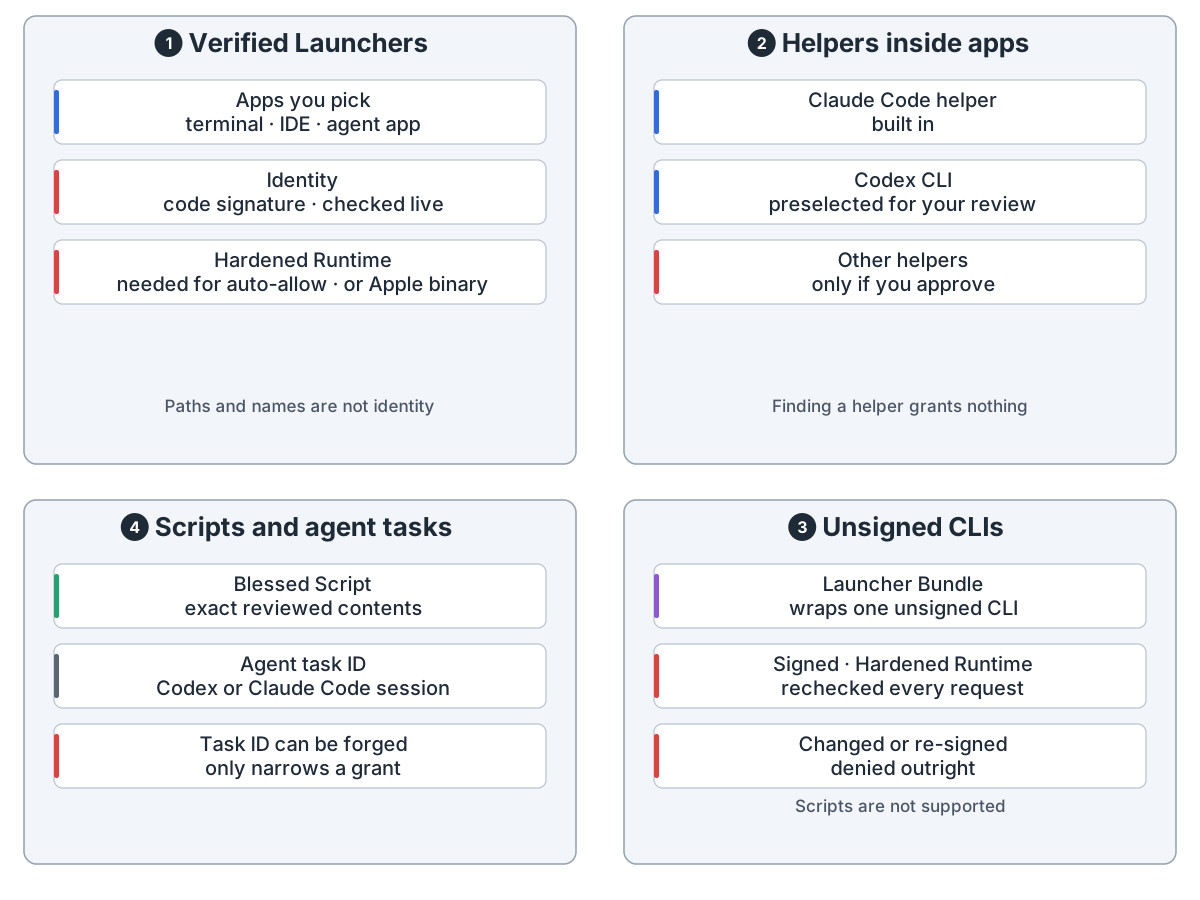
谁在要。 身份看应用的代码签名,每次请求都现场检查。没签名的命令行工具可以套一个 Launcher Bundle。
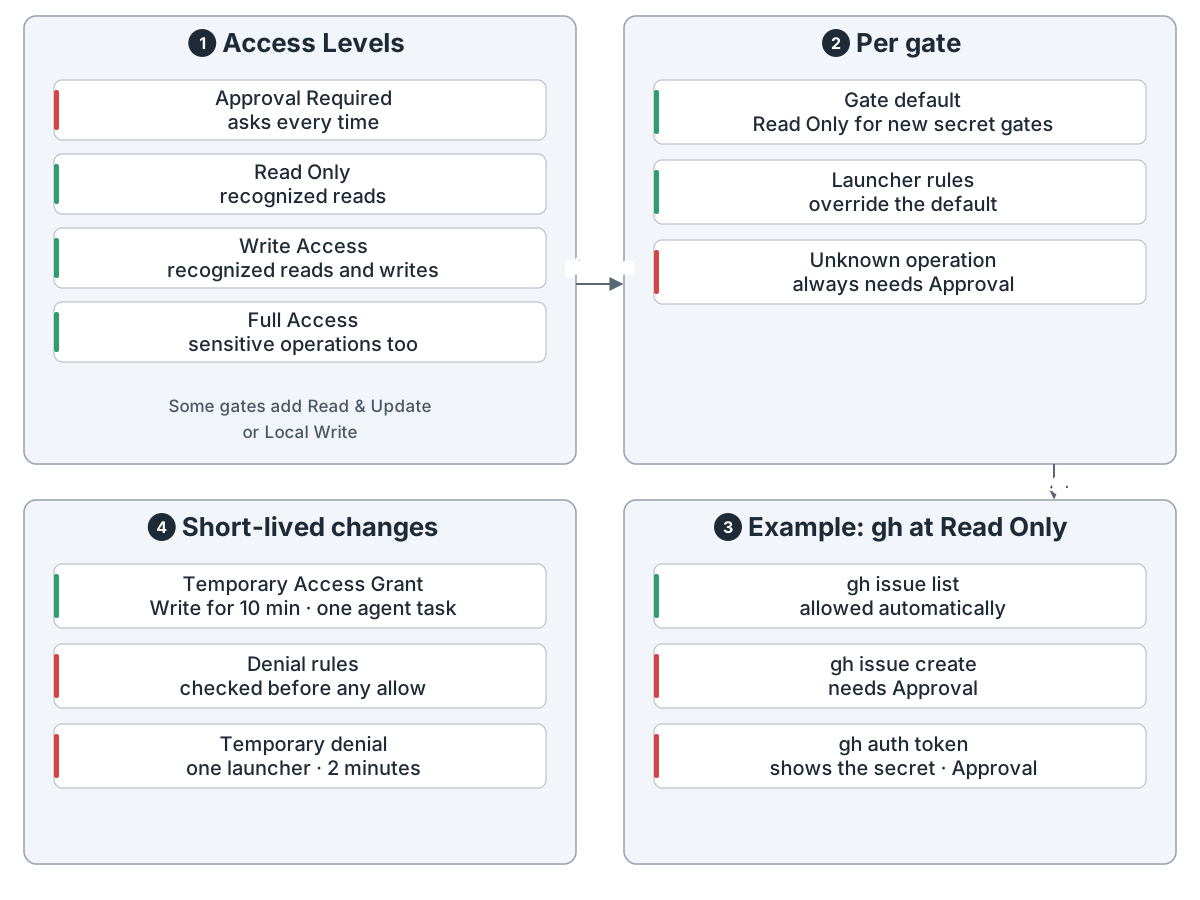
访问规则。 每个工具的闸门有几档访问级别。文档建议给智能体只读。没见过的命令永远要问。
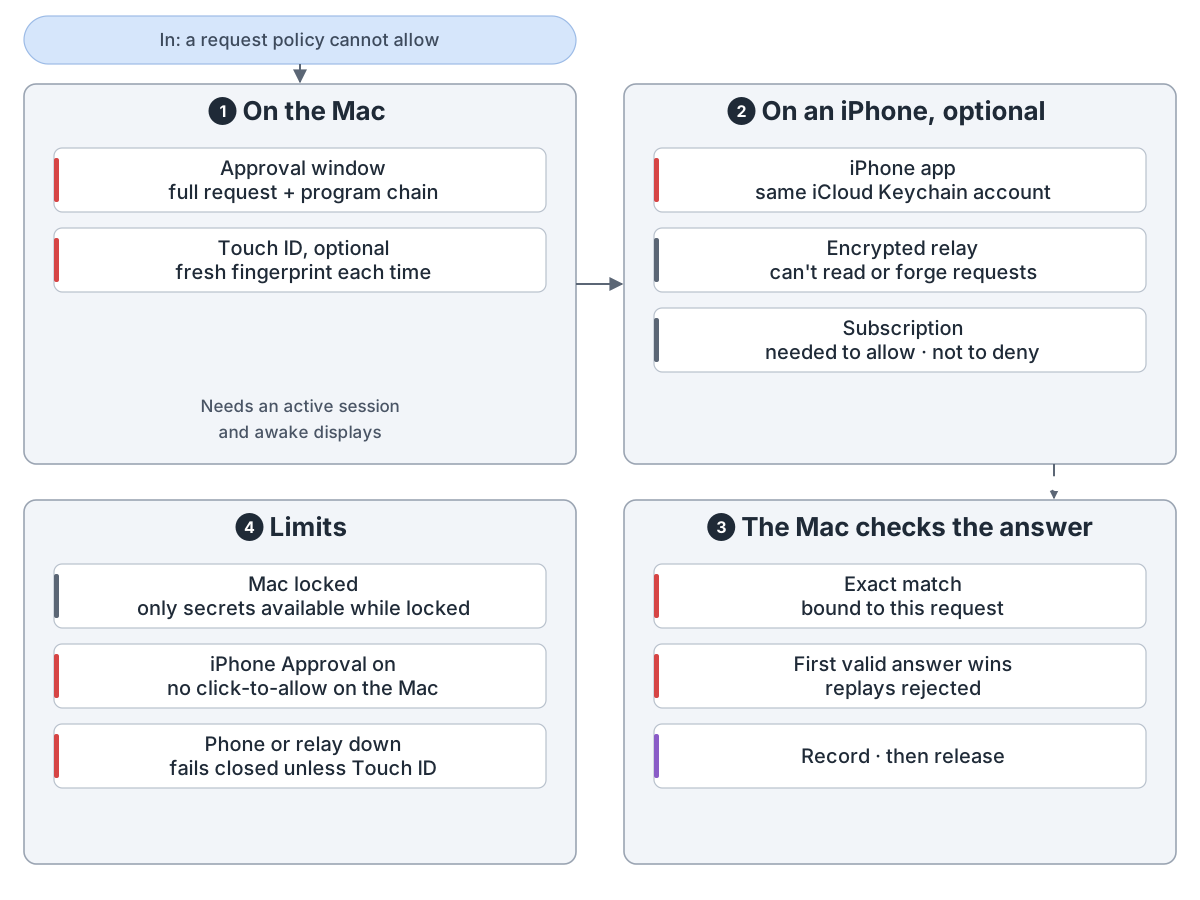
批准可以在 Mac 上点,用 Touch ID,或者在 iPhone 上。Mac 核对每个回答。
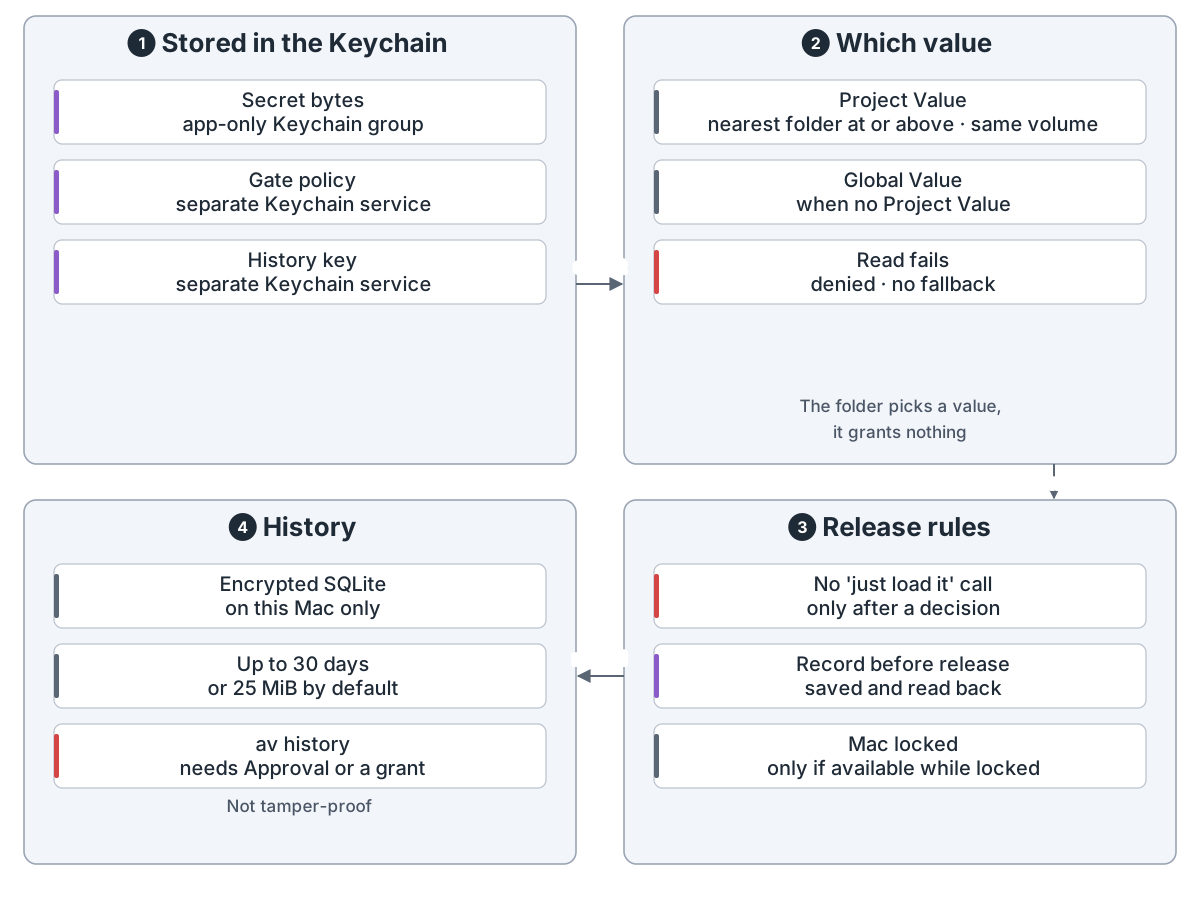
密钥和记录。 密钥留在钥匙串里。每次使用都加密记在这台 Mac 上,最多保留 30 天,还有大小上限。
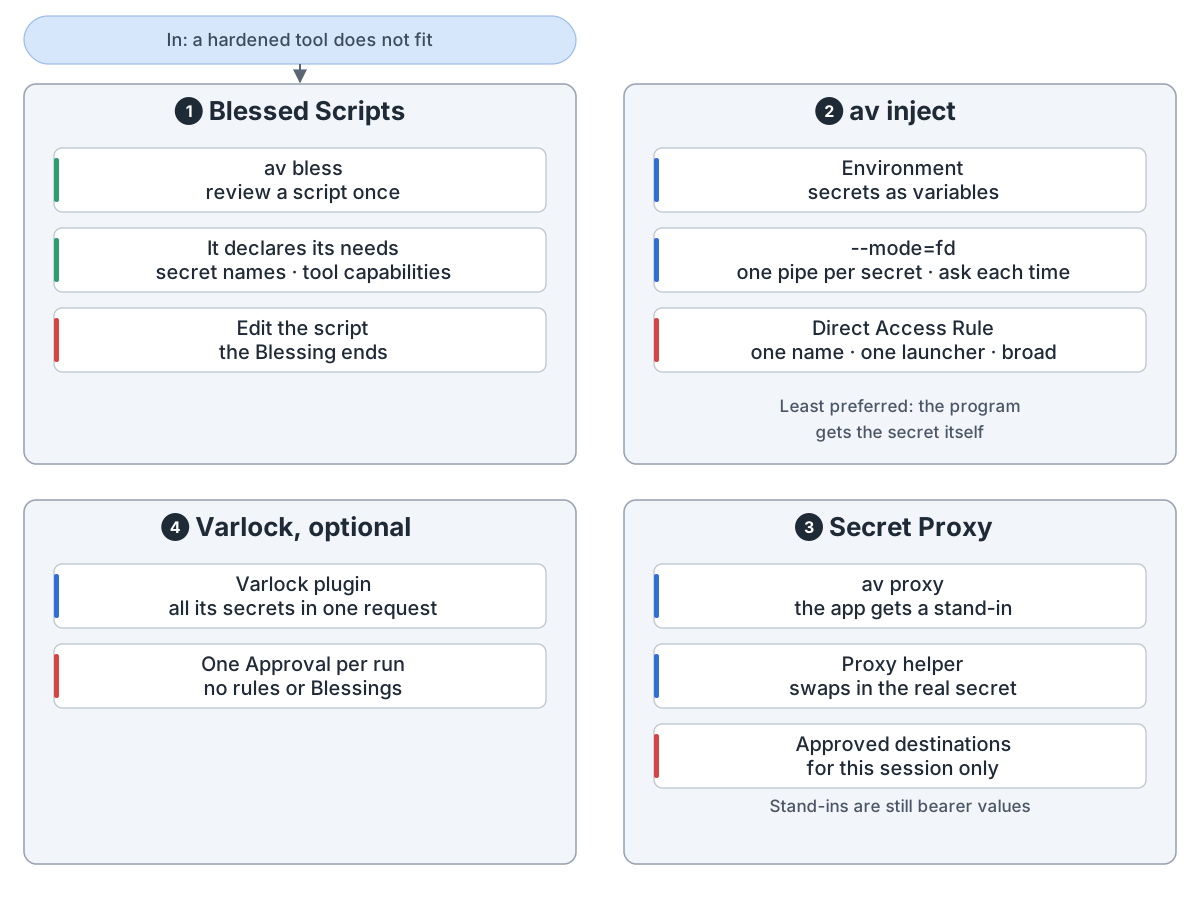
其他用法: 审过的脚本、av inject、Secret Proxy 和 Varlock。
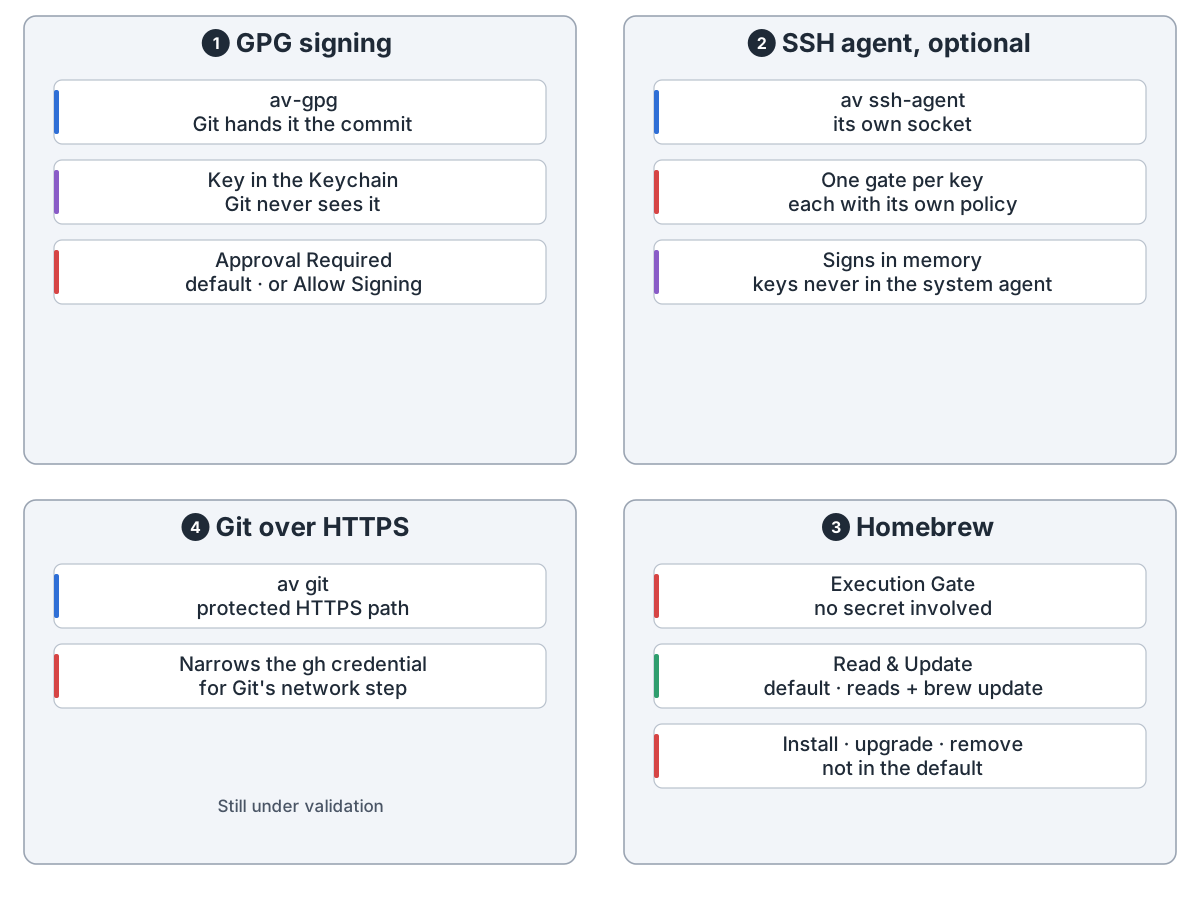
签名、SSH 和 Homebrew 各有自己的闸门。
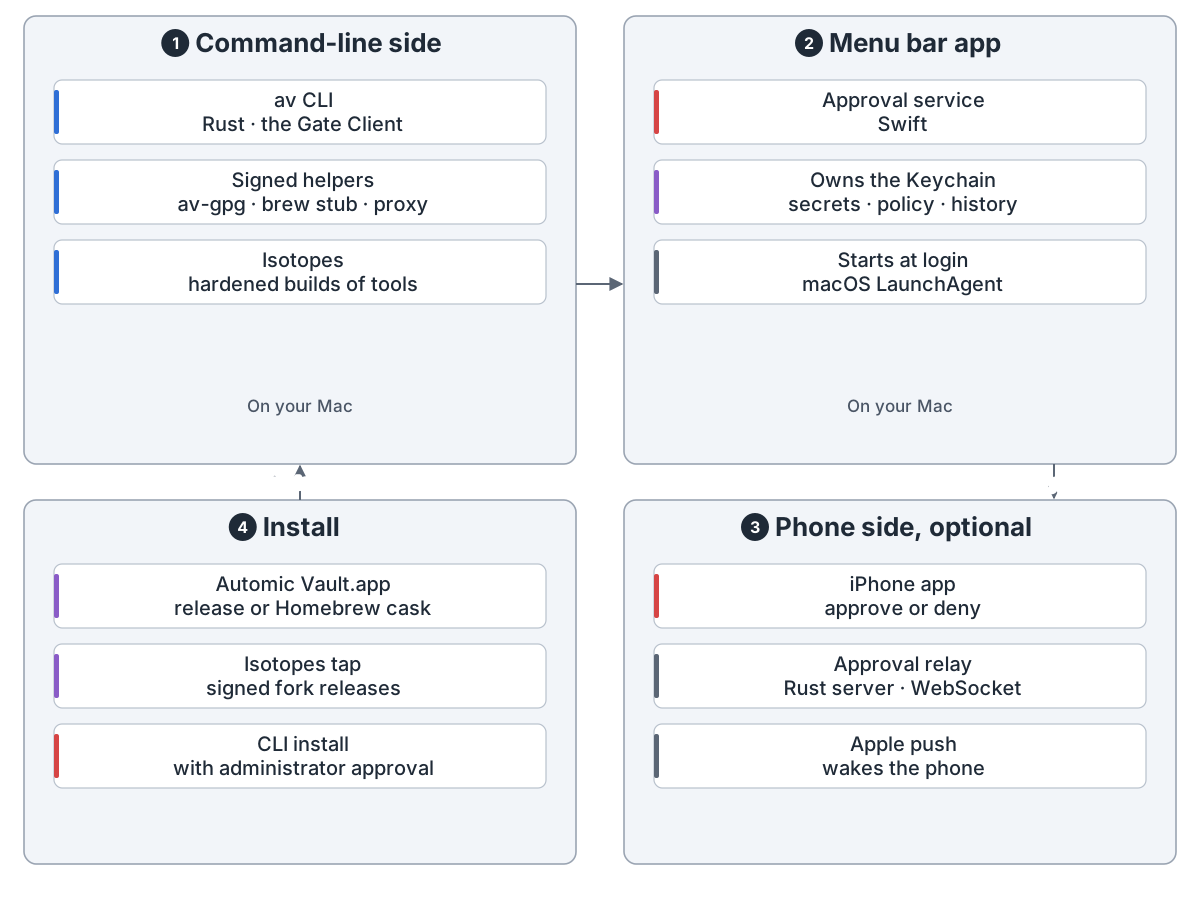
组成部分: av 命令和几个小助手、一个掌管钥匙串的菜单栏应用,以及可选的 iPhone 应用和中继。
Automic Vault guards developer credentials on a Mac. It moves tokens out of files into the Keychain. After that, every command that needs one is checked first, whether you or an AI agent runs it.
Set up. av scan finds exposed credentials. av harden moves them and changes how the tool asks for them. av doctor checks the result.
One request. The Mac checks who is asking and the whole command. A rule may allow it; otherwise you approve or deny. A record is saved before the secret goes out.
Who is asking. Identity comes from the app's code signature, checked live on every request. An unsigned CLI can get a Launcher Bundle.
Access rules. Each tool's gate has Access Levels. The docs suggest Read Only for agents. Unknown commands always ask.
Approval happens on the Mac, with Touch ID, or on an iPhone. The Mac checks every answer.
Secrets and history. Secrets stay in the Keychain. Each use is logged on the Mac, encrypted, for up to 30 days within a size cap.
Other ways to use a secret: reviewed scripts, av inject, the Secret Proxy and Varlock.
Signing, SSH and Homebrew have their own gates.
The pieces: the av command and its helpers, a menu bar app that owns the Keychain, and an optional iPhone app with a relay.
来源Source: github.com